
This time, we will tell you how to use the ‘Text to Columns’ in Excel to easily extract the name information from your email address.
Step:
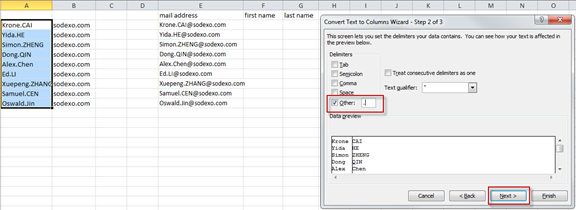
1. Select the column of data you want to extract information from. Click on the ‘Text to Columns’.
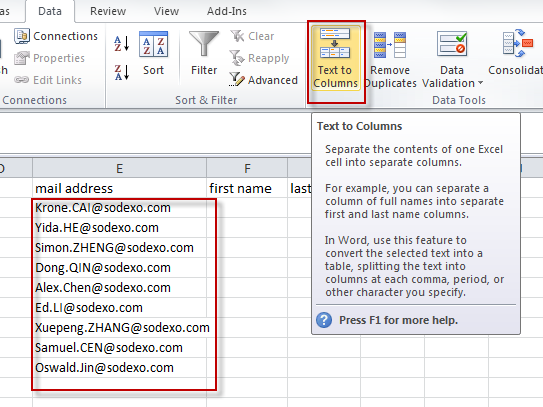
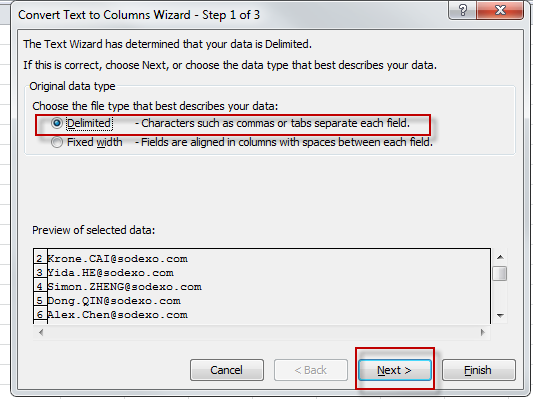
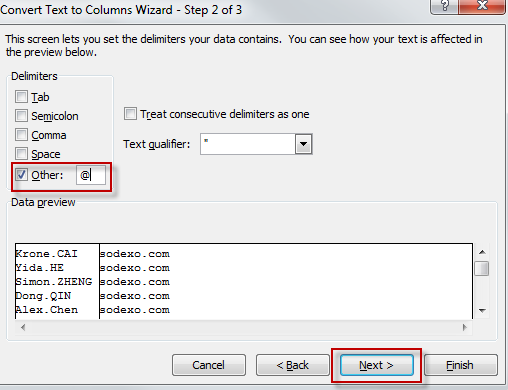
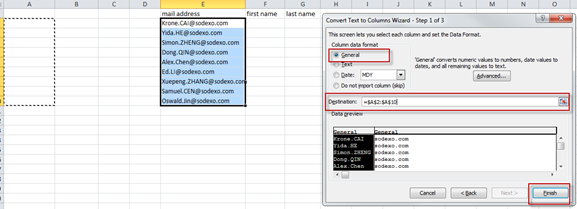
2. Select the first time delimited by @, select the target area to be exported, click Finish.
3. Then follow step 2 to select the (.).

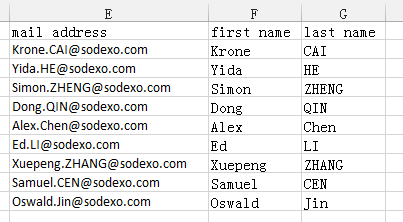
4. We can get the data we need.
See you next week.