According to the group’s password policy, email account passwords must be changed every 365 days.
Once your password expires, you will lose access to business systems, including Email, Buy SMART, and Work SMART.
- Password Rules
- How to Change Your Password
- Password Reset / Initialization
Password Rules
Options for Updating Password:
- Change Password: Requires knowledge of the current password.
- Reset Password: Self-service reset is now available.
Password Requirements:
- Length: Must be greater than 14 characters.
- Complexity: Must contain at least three of the following four character types:
- Uppercase letters
- Lowercase letters
- Numbers
- Punctuation/Special symbols
- Examples:
QhwIsGo0d=O269,b7/aN_isl-lard,7vMT/d~1is9unv, or8Q2/kkH{M0nday
Policy Updates & Restrictions:
- Validity Period: Effective from June 11, the password validity period will be adjusted from 90 days to 365 days. You must change your password after 365 days.
- History: You cannot reuse any of your last 24 passwords.
- Similarity: The password cannot be similar to your login ID/username.
- Prohibited Content:
- Avoid simple English words.
- Avoid using terms such as “Sodexo” or “Sdx”.
- Avoid sequential or repetitive patterns such as
1234,abcd,1111, oraaaa.
How to Change Your Password
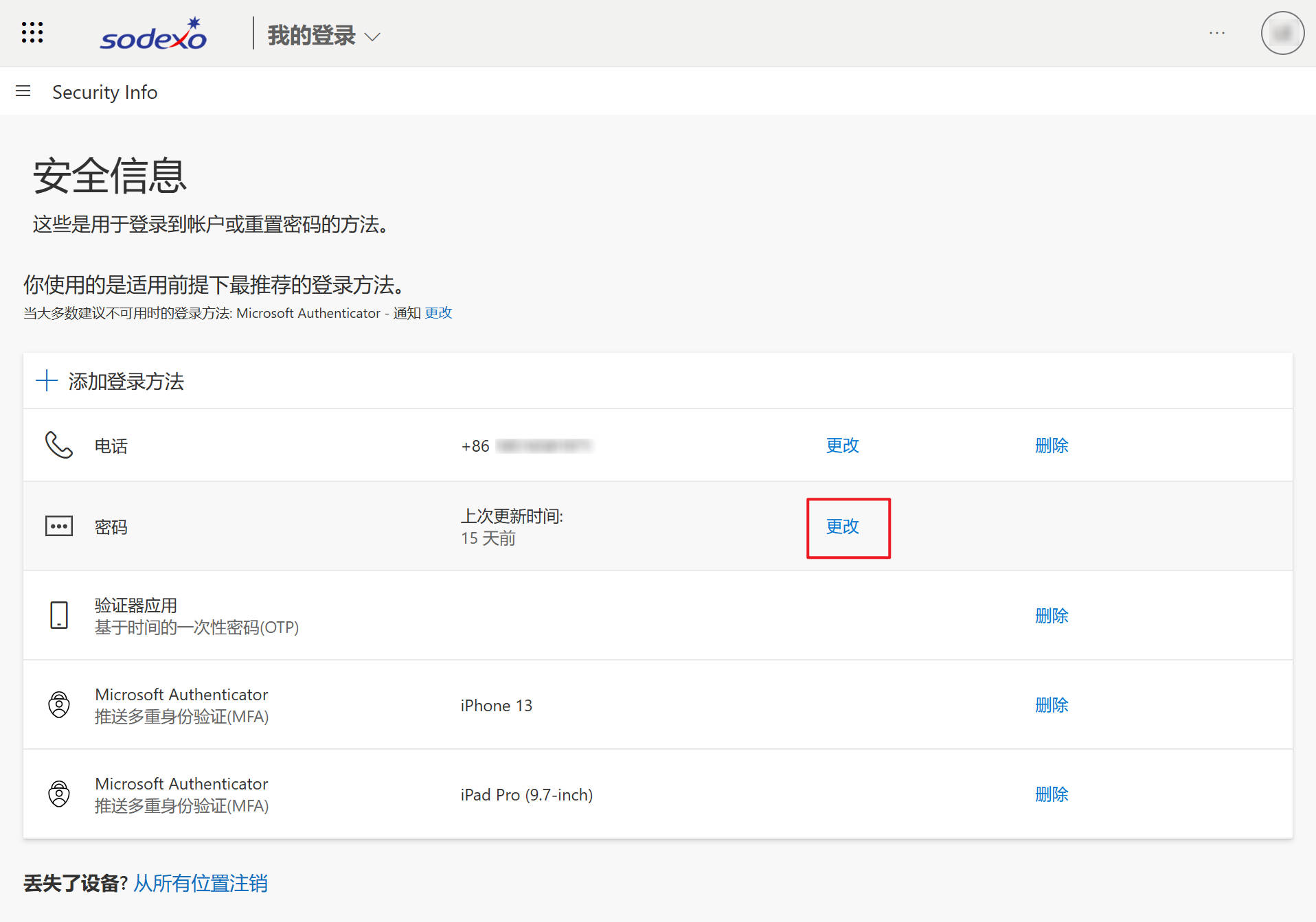
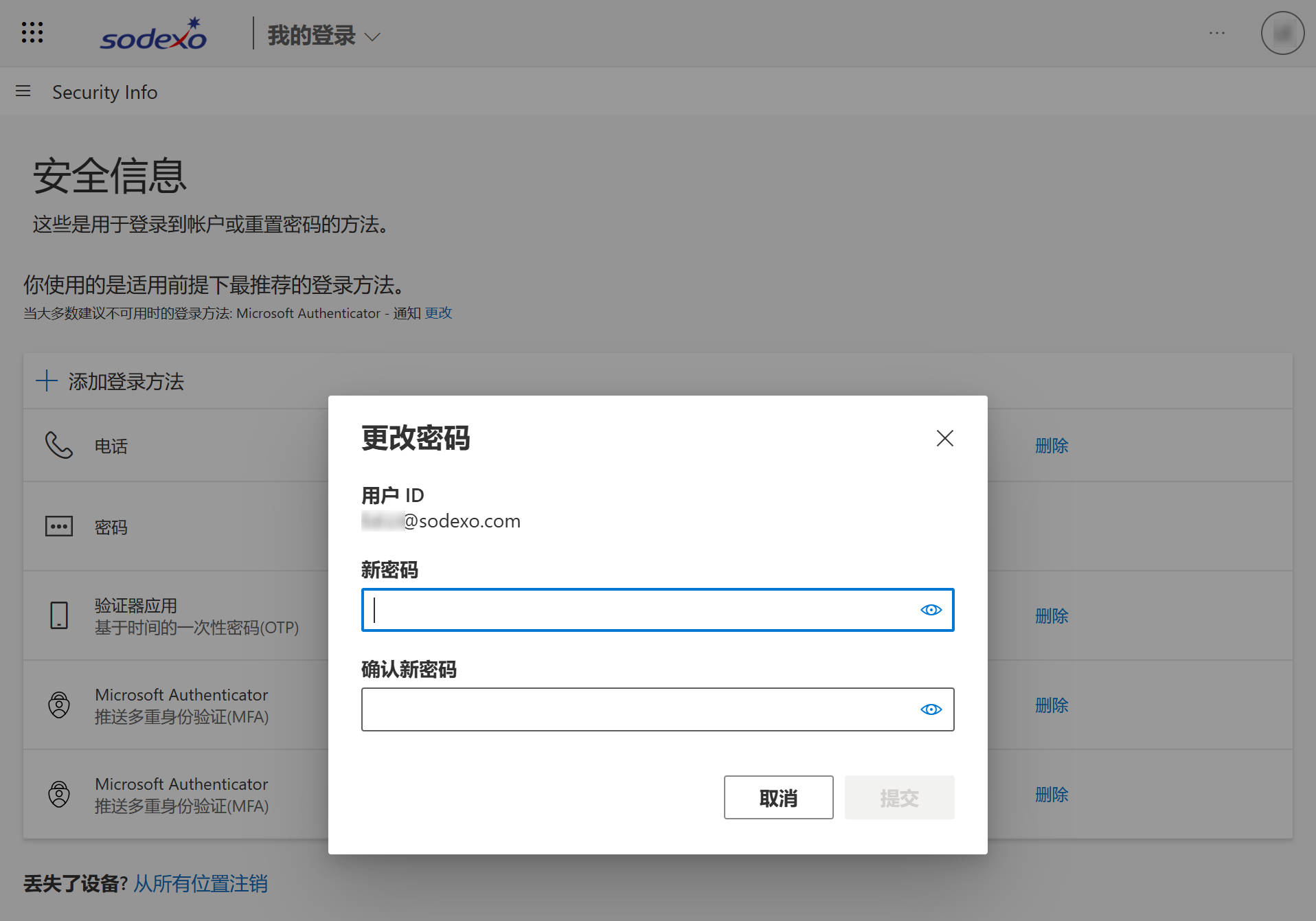
You can use a web browser on your computer or mobile phone to visit the links below. Log in normally, click [Change] in the password section, enter your new password twice in the pop-up window, and click Submit.
- Recommended Link: https://mysignins.microsoft.com/security-info/password/change
- Alternative Link: https://gates.sodexonet.com/adfs/portal/updatepassword
Important Notes
- Do not perform this operation directly within WeChat.
- If you are assisting colleagues with resetting their passwords on a computer, please ensure you use the browser’s Private Mode (or Incognito Mode) (see Figure 1).**
Password Reset / Initialization
If users forget their passwords, they can request a password reset (initialization) through the following channels:
Self-Service Reset: No need to contact the IT Service Desk; you can handle it yourself. (See detailed instructions at the end of this article.)
- WeChat IT Service Desk: Follow the Sodexo Enterprise Account on WeChat and submit a request via the [IT Service Desk] menu.
- SSC or Department Assistant: Contact the Shared Services Center (SSC) or your department assistant to apply.
- IT Support Hotline: Download and complete the application form, call IT, and submit the form.
Instructions for Self-Service Password Reset:
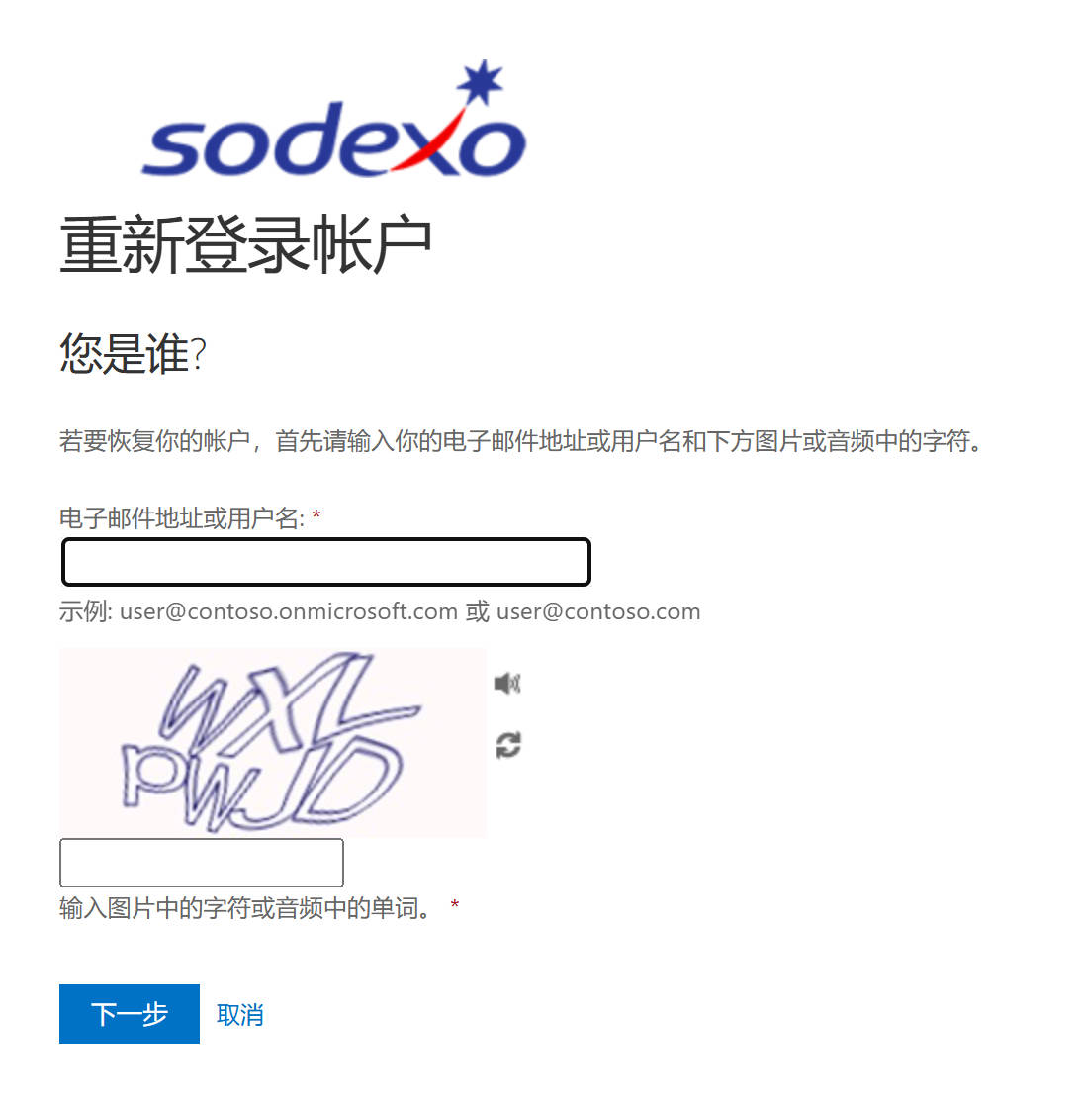
- Open the URL: https://aka.ms/sspr
- Enter your email address and the CAPTCHA code.
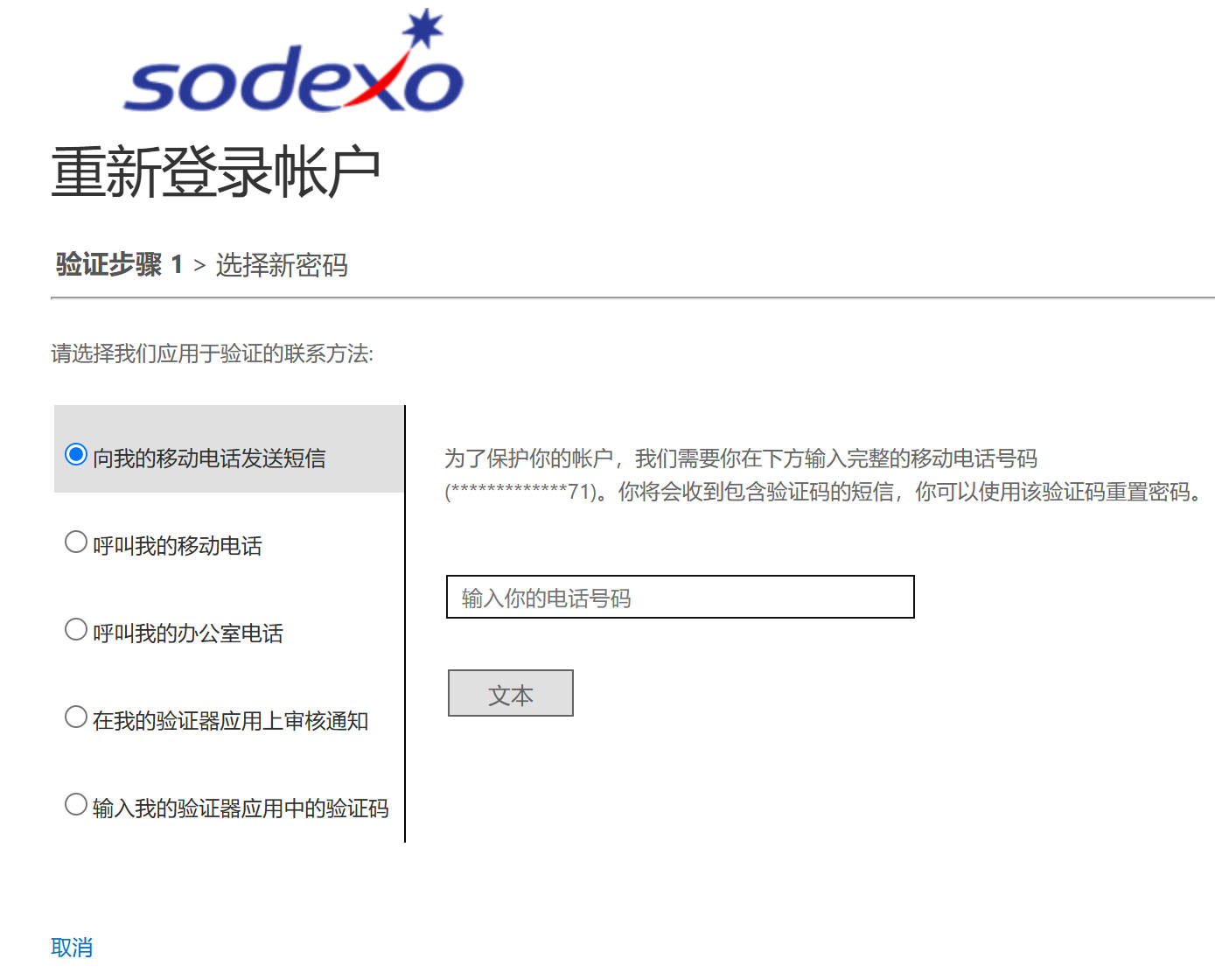
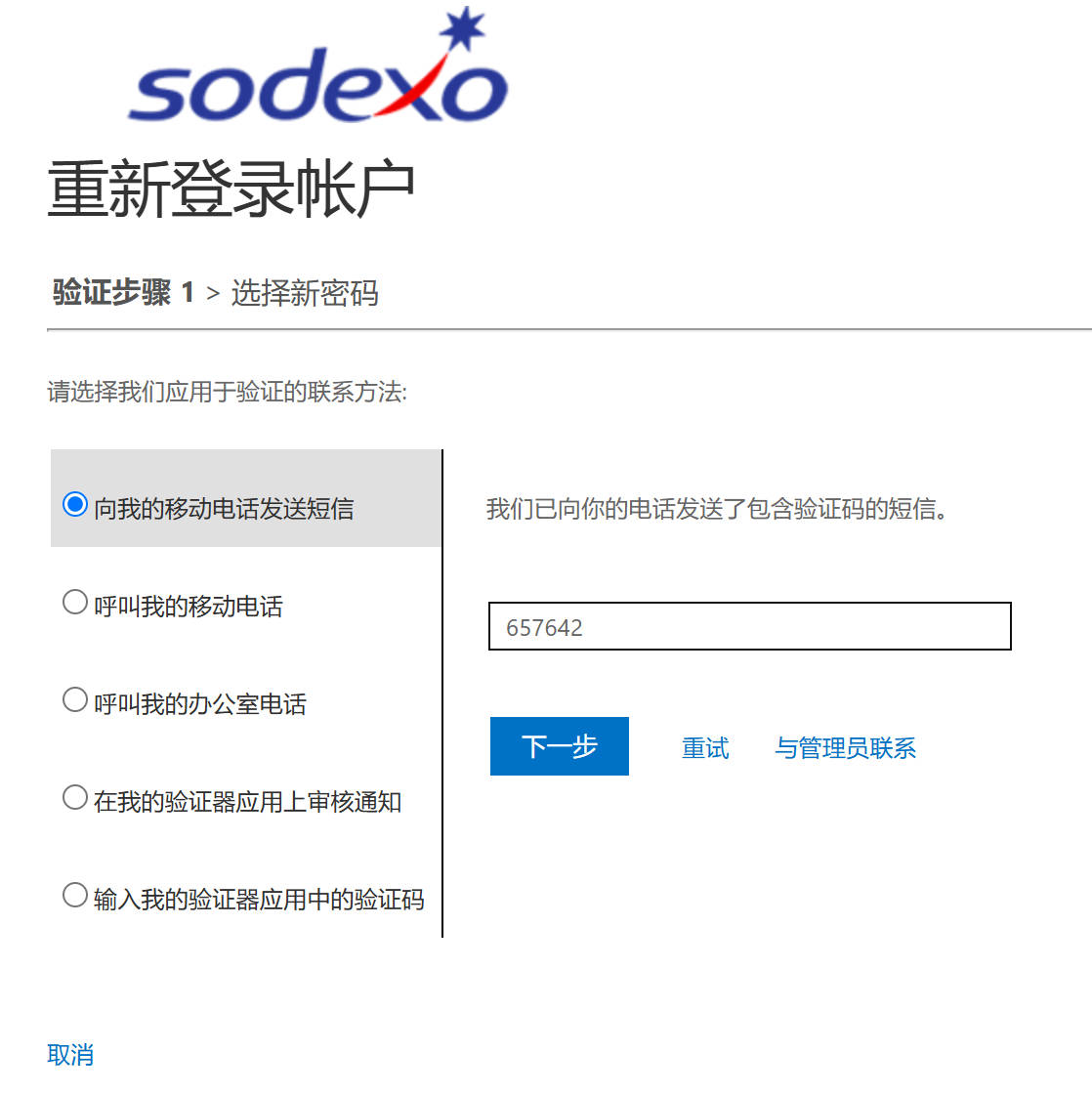
- Enter your registered mobile phone number and the verification code received via SMS (or the code from the mobile App, depending on your choice. The screenshots below demonstrate the SMS method).
- Enter your new password twice according to the complexity rules to complete the process.